Education
Why Video Beats Photographs When Buying a Stone Online
Studio photography is designed to make every stone look the same. Video is not.
Written by the Mapple Gems workshop, Surat · Updated 23 August 2026
Short answer
A still photograph freezes one instant of light on a stone, chosen from hundreds, under lighting built to flatter. Video shows the stone moving through changing light, which is how you will actually see it. Ask for video in ordinary indoor light — not a lightbox — and watch for how the stone behaves when it rotates. A seller who will only send stills is choosing not to show you something.
Every jewellery photograph you have ever seen was taken in a lightbox: a diffused, evenly lit enclosure that eliminates harsh reflections and makes facets return light uniformly. It is genuinely useful for showing shape and colour accurately. It is also, unavoidably, a flattering environment for every stone equally — a well-cut stone and a mediocre one look far more alike in a lightbox than they do on a hand.
What a still cannot show
| Property | Needs movement to see |
|---|---|
| Scintillation | The flashing on and off as the stone tilts — invisible in a still by definition |
| Light leakage | Dark patches that stay dark as the stone rotates — a cut fault |
| Bow-tie | The dark band across oval, pear and marquise cuts — easy to hide in one frame |
| Actual dispersion | How much coloured fire the stone really throws — matters for moissanite especially |
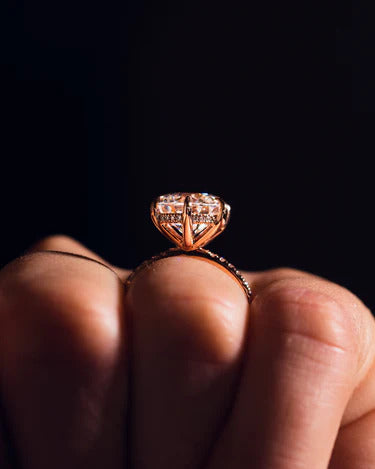
| Profile height | How far the ring stands off the finger |
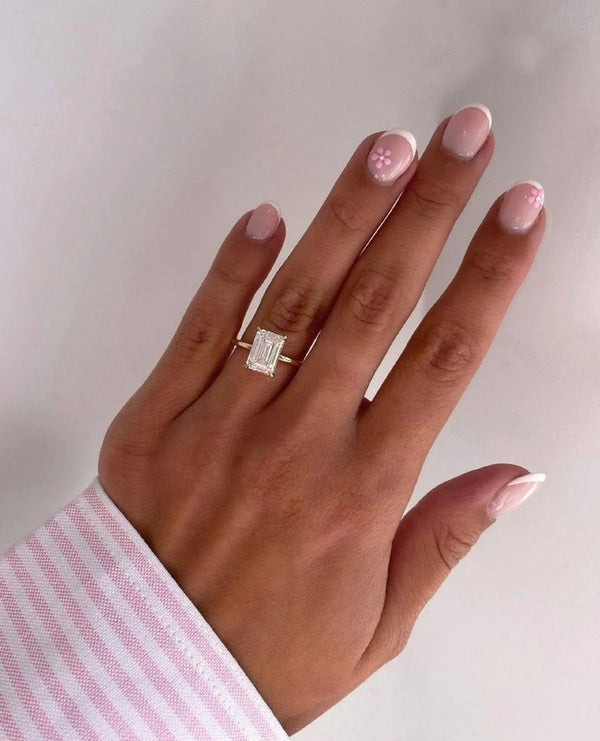
| True scale | A hand moving gives your eye a reference; a floating stone does not |
The bow-tie, specifically
Worth calling out because it is the most common defect and the easiest to photograph around.
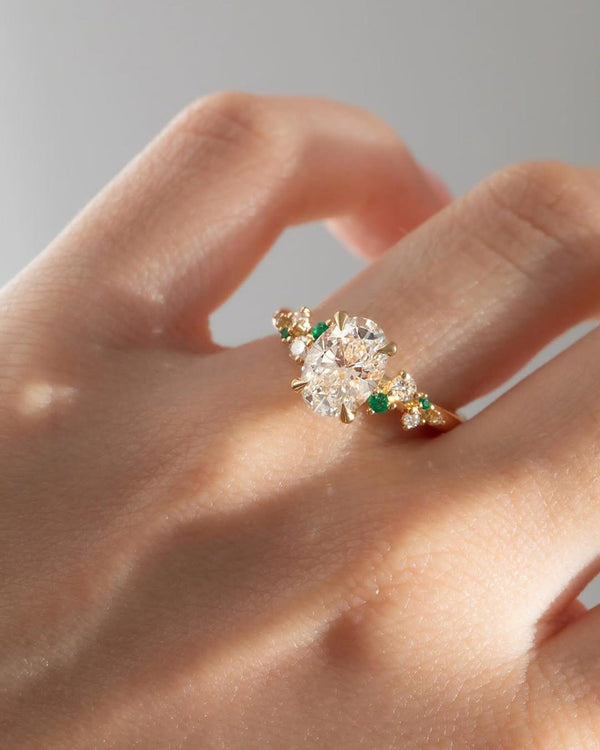
Elongated brilliant cuts — oval, pear, marquise — can show a dark band across the middle where light is not returned. Every one of these shapes has some bow-tie; the question is whether it is faint or obvious.
In a still, the photographer simply picks an angle where it is least visible. In video you see it persist as the stone turns, or you see it move and break up, which is the difference between a real problem and a trick of one angle. If you are buying an oval or a pear and the seller has only stills, that is the specific thing you are not being shown.
Ask for the unflattering version. Not studio video — that is the same lightbox with motion added. Ask for thirty seconds under an ordinary ceiling light, or by a window on a grey day, with a hand in frame. That is the lighting the ring will live in for the next forty years, and it is the request that separates sellers instantly. We film every piece this way before it ships, and we would rather someone raise a concern from a video than open a box and feel it.
How to watch a stone video properly
- Watch it at full screen and slow it down if the platform allows. Fast rotation hides everything.
- Look for patches that stay dark through the whole rotation. Flashing on and off is correct behaviour; permanently dark is not.
- Watch the outline, not the sparkle. Sparkle is distracting and is what the video is designed to sell. Is the shape symmetrical? Does an oval have even shoulders?
- Check the side view. Ask for it separately if it is not in the video. Profile height decides how the ring lives.
- Compare like with like. Two videos in different lighting tell you about the lighting, not the stones.
What video still cannot tell you
Being fair about the limits, because a video is not a guarantee.
- Colour is unreliable on screen. White balance, your display and the room all shift it. For colour, rely on the grading report where one exists.
- Scale still deceives. A stone filling a phone screen looks larger than 6.5 mm ever will. Get the millimetre figure in writing regardless.
- It may not be your stone. Ask whether the video shows the actual piece being sent or a representative sample of the design. Both are legitimate; you should know which.
- Metal colour reads differently on camera. Rose gold especially.
The short version
Stills tell you the design. Video tells you the stone. A grading report tells you the specification. You want all three, and the one most often withheld is the middle one.
Keep reading
Frequently asked questions
Why should I ask for a video before buying a ring online?
Because several important properties only appear in motion — scintillation, light leakage, the bow-tie effect in elongated cuts, and real dispersion. A still freezes one instant chosen from hundreds, under lighting designed to flatter every stone equally. Video in ordinary indoor light shows how the stone will actually behave.
What is the bow-tie effect?
A dark band across the middle of an elongated brilliant cut — oval, pear or marquise — where light is not returned to the eye. Every such stone has some; the question is whether it is faint or obvious. It is easy to hide by choosing the right angle for a photograph, which is why video matters most for these shapes.
What should I look for in a diamond video?
Patches that stay dark through the whole rotation, since flashing on and off is correct but permanent darkness indicates light leaking out of the bottom. Also check the outline for symmetry rather than watching the sparkle, and ask for a side view separately to see the profile height.
Can I judge a stone’s colour from a video?
Not reliably. White balance, your screen and the room lighting all shift how colour reads on camera, and rose gold in particular photographs differently from how it looks. Use the grading report for colour where one exists, and use video for how the stone behaves in light.
Ask us for the ordinary-light video.
We would rather you raised a concern from a video than opened the box and felt it.
Leave a comment